
Tools For Your Website
Corporate Carbon Footprint Calculator Tools
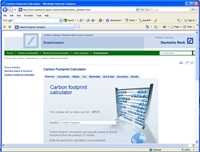
Premium Class leading web /intranet /extranet carbon footprint tools
Our Corporate Carbon Footprint Calculator tools are suitable for your private or public sector needs. The tools are hosted by Carbon Footprint and seamlessly integrate into your intranet / internet / extranet based web-sites, ensuring that information is kept up to date.
Benefits of our Corporate Footprint Calculator Tools
How to integrate the carbon calculator in 5 mins for FREE
Integrate the Internet's best carbon footprint calculation tools into your own website, allowing your visitors to calculator their carbon emissions without having to leave your site.
Please read the terms and conditions below and then follow the instructions for integrating the calculator tool you want.
Full Carbon Footprint Calculator
The full Carbon Footprint calculator can be embedded as an IFRAME by copying and pasting the following HTML code into your web page:
Flight-Only Carbon Footprint Calculator
The flight-only calculator just provides the functionality of the Flights tab of the full calculator, without all the other tabs. It can be embedded as an IFRAME by copying and pasting the following HTML code into your web page:
Non-SSL Version
The calculator is now available over SSL (https), and the code above has been updated to use the SSL version. This avoids security warnings when embedded in a page on an SSL website, and can also be embedded in a page on a standard website (http) without any issues. If you prefer to use the non-SSL version, just replace https with http in the code above.
Different Widths
It is possible to make the calculator wider or narrower by changing the width setting of the IFRAME tag to a different number of pixels. For example, if you want it 600 pixels wide, start the code with <iframe width="600" ...The calculator should be usable down to widths around 400 pixels, although you may need to increase the height setting for very narrow widths.
Other Languages
The calculator is now available in a variety of languages, and it will attempt to pick the most appropriate one from the user's browser settings. If you want to fix the language to blend in better with the rest of your website, you can add one of the following codes to the URL
Changing The Background Colour
The background colour of each calculator tool defaults to white. If this doesn't fit in with your colour scheme, you can modify it to the background colour code of your choice (#99CCFF for example) by changing both occurrences of calculator.aspx in the HTML above to calculator.aspx?b=99CCFF or from calculator.aspx?c=flight to calculator.aspx?c=flight&b=99CCFFIf you want to set both the language and the background colour, you will need to combine both codes with a "&" like in this example for the flight calculator in Chinese on a light green background:
calculator.aspx?c=flight&lang=zh-Hans&b=FFFF80
Other Customisations
If you would like further customisations of the calculator, or additional carbon footprint calculations tools to integrate into your website, please contact webmaster@carbonfootprint.com to discuss your requirements and the costs involved.